
Create Viral AI Videos
Clone Viral Videos with AI
Upload a reference video and image to create your own version. Replace people, products, objects, or backgrounds while aiming to preserve the original motion, camera movements, and timing.
Edit Your Video
Describe what to replace and which actions, camera movements, and timing to preserve.
Proven Viral Videos
Pick a Viral Video. Create Your Version.
Choose a viral video, add a reference image and edit instructions, and replace what you want to create your own version.
HOW IT WORKS
Replace Video Content in Three Steps
Describe what to replace and which actions, camera movements, and timing to preserve.
Upload Your Video
Upload the video you want to edit, or choose an example to get started.
Add a Reference and Instructions
Upload a reference image, describe what to replace, and specify what to preserve.
Generate and Review
Review the credit cost and generate your video, then preview and download the result.
CloneCut
Change the Content. Keep the Performance.
Upload a reference video and image to create your own version. Replace people, products, objects, or backgrounds while aiming to preserve the original motion, camera movements, and timing.
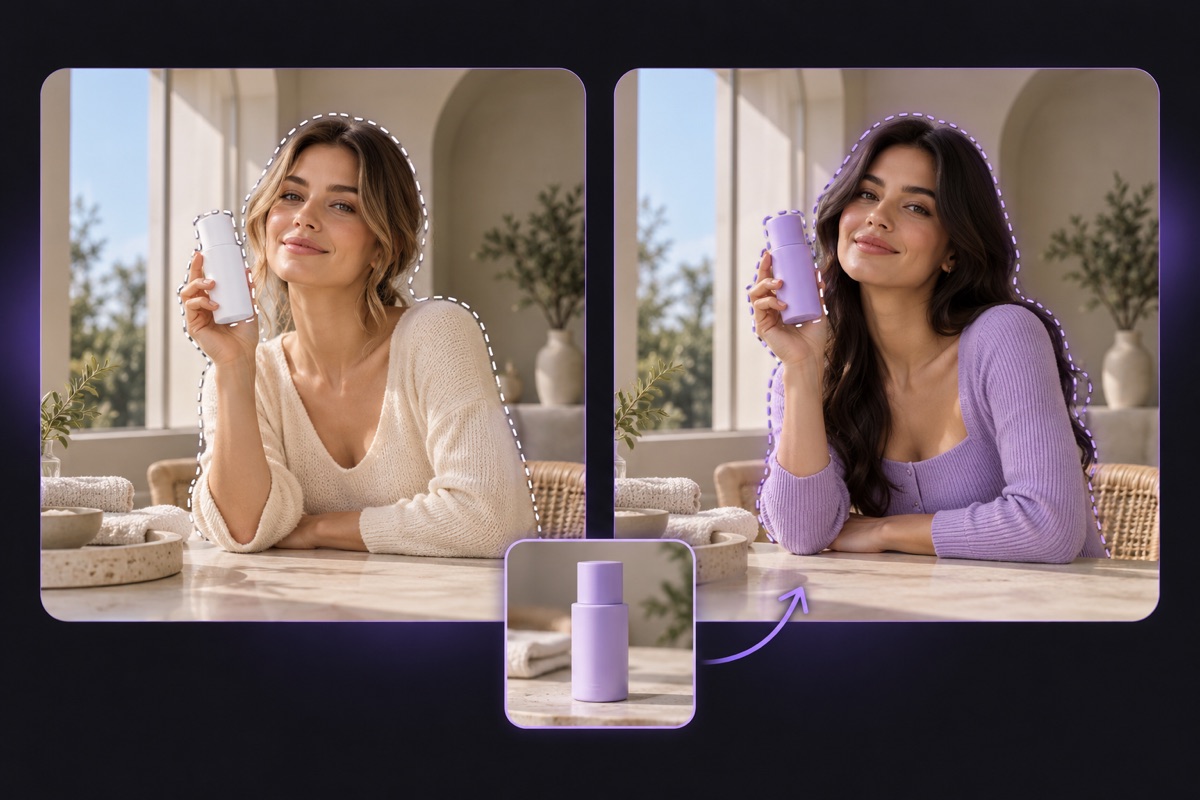
Replace What You Choose
Replace people, products, objects, or backgrounds in your video. Use a reference image and edit instructions to define the new look.
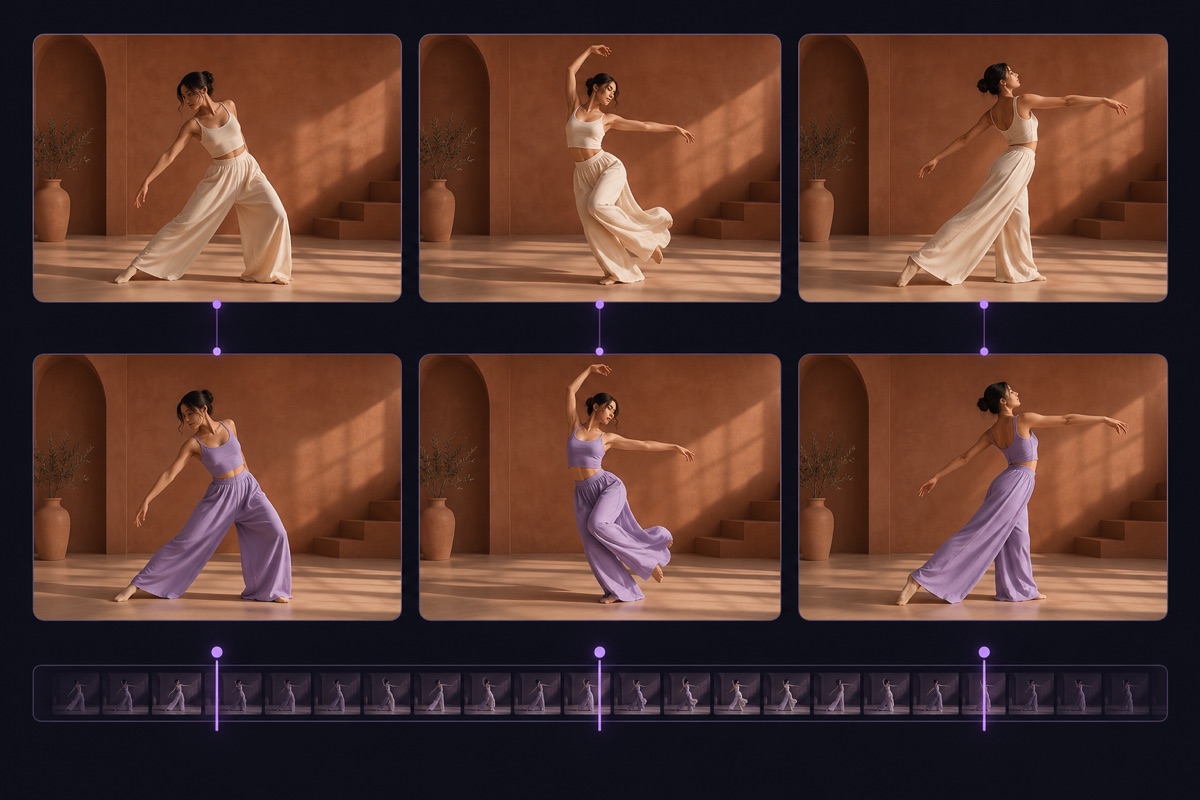
Preserve Motion, Camera Movement, and Timing
Use your source video as the foundation, aiming to preserve its actions, camera movements, and timing while integrating the replacement.
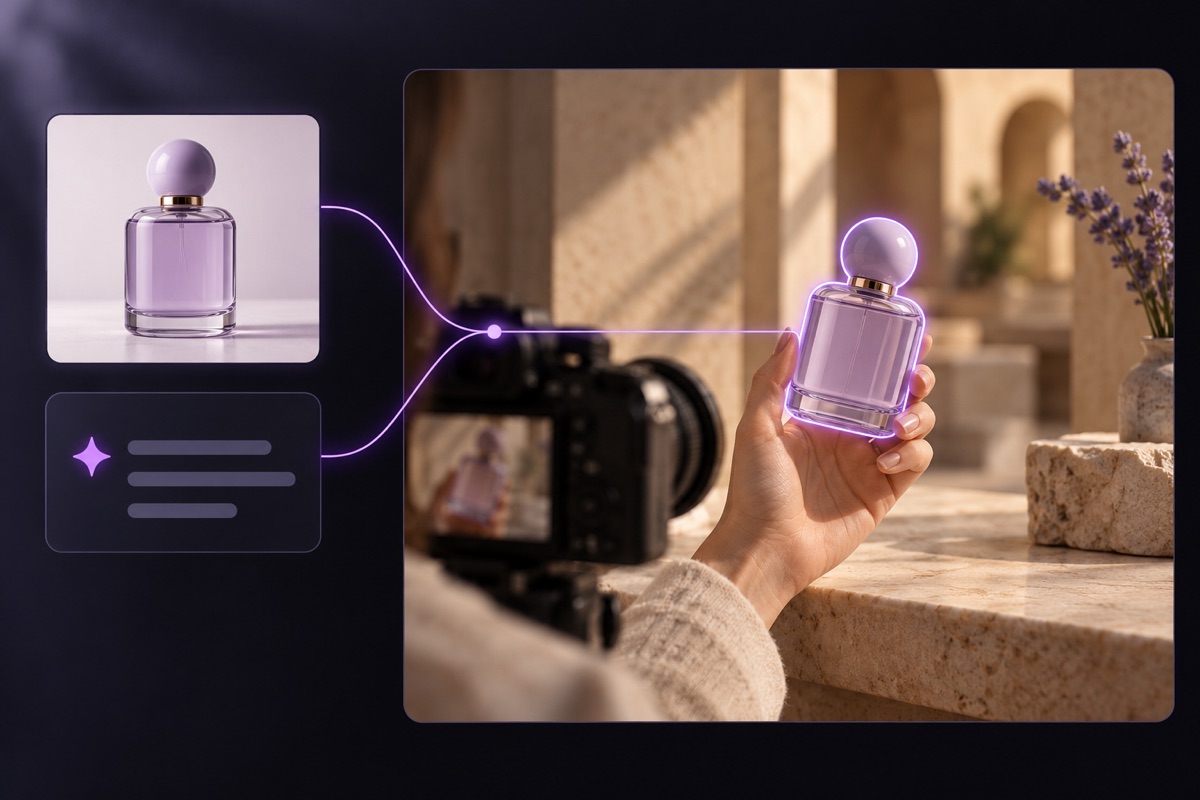
Describe Your Edits in Words
Tell AI what to change and what to preserve, and let it edit the video based on your instructions.
What Would You Like to Replace?
Character Replacement
Replace a person with a reference character while aiming to preserve the original movement and performance.
Product Replacement
Swap the featured product for your own while aiming to preserve the original presentation and camera movements.
Object Replacement
Choose an object to replace and define its new appearance with a reference image and instructions.
Background Replacement
Change the background while aiming to preserve the subject, their actions, and camera movement.
Choose Your Creation Plan
Buy credits as needed or choose a monthly or yearly plan to start creating your own viral-style videos.
All prices are in US dollars (USD).Credits per generation depend on the model, video duration, and output quality. The quote shown before generation determines the final cost.
Choose how to pay
Save 50% · Billed yearly
Compare plans
Tap a plan to see details.
Pro
Standard videos per year: 150
Shorter videos let you create more.
For professionals
- 216,000 credits, valid for 1 year
- Save $354 per year
- Renews at $354/year. Cancel anytime.
Included in every plan
- No watermark
- Complete privacy
- Faster generation
- Priority support
- See the cost before generating
- 480p, 720p and 1080p video editing
- Site credits returned on confirmed failures
- Subscription plan
- Up to 30 seconds per video
FAQ
Your questions, answered
Standard videos are 480p, based on 12 seconds each. Shorter videos let you create more. The quote shown before generation determines the actual credit cost.
CloneCut is an AI video editing tool that lets you replace people, products, objects, or backgrounds in existing videos while aiming to preserve the original actions, camera movements, and timing.
Upload your video and a reference image. Describe what to replace, what to replace it with, and what to preserve. Review the credit cost, generate your video, then preview and download the result.
You can replace people, products, objects, or backgrounds. Use a reference image to show the desired appearance and written instructions to identify what to replace and what to preserve.
CloneCut aims to preserve the original actions, camera movements, and timing, but not every detail is guaranteed to remain unchanged. Results depend on source quality, scene complexity, and your edit instructions.
Choose clear footage where the target is easy to identify and mostly unobstructed. Fast motion, frequent cuts, or overlapping subjects can make editing more difficult. Check the editor for upload limits.
Upload an image that clearly shows the desired appearance: a recognizable person, a clearly visible product or object, or the setting you want for a background. Where possible, choose an angle similar to the target in your video.
Specify what to replace, what to replace it with, and what to preserve. For example: “Replace the bottle on the table with the product in the reference image, while preserving the person’s actions, background, and camera movement as closely as possible.”
Video generation requires credits. You can browse examples and explore the editing workflow before purchasing credits or a subscription.
No. You can buy credits separately or choose a monthly or yearly plan. See the pricing page for current prices and plan details.
Credit costs depend on the selected model, video duration, and output quality. The editor shows an estimate; the quote provided before submission determines the final cost.
Credits spent on a task are returned when the system confirms that generation has failed. If the task is still processing or the result cannot be saved, refresh to check its status. If the issue persists, contact support through a support ticket.
Yes. Choose a viral example or upload a reference video you have permission to use, then add a reference image and describe your edits. CloneCut can replace people, products, objects, or backgrounds while aiming to preserve the original motion, camera movements, and timing. Your new video’s reach depends on the content and how it is published; matching the original’s views is not guaranteed.
Give Your Video a New Look
Upload your video and a reference image. Tell CloneCut what to replace and what to preserve.