
 Sunburst · Editorial
Architectural Luxury Campaign Still
Demonstrates refined glass caustics, warm travertine grain, and directional sunlight shadows.
Start generating right in the hero with GPT Image 2.6 on CloneCut. Type any prompt for instant text-to-image creation or attach a reference photo for precision image-to-image editing across Sunburst and Flare.
Demonstrates refined glass caustics, warm travertine grain, and directional sunlight shadows.
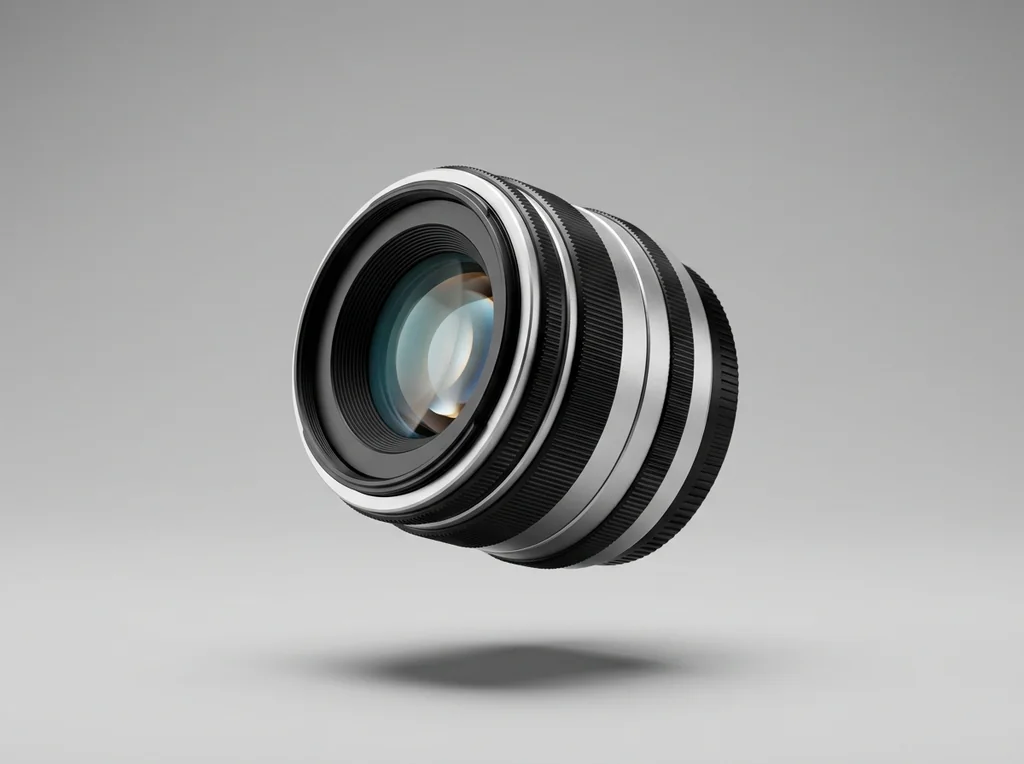
Showcases crisp metallic rim light and clean subject separation built for rapid store thumbnails and transparent exports.
Click any card below to load its exact prompt and recommended Sunburst or Flare variant straight into the hero studio above.
Sunburst · EditorialDemonstrates refined glass caustics, warm travertine grain, and directional sunlight shadows.
Flare · Product CutoutShowcases crisp metallic rim light and clean subject separation built for rapid store thumbnails and transparent exports.
 Sunburst · Photo Edit
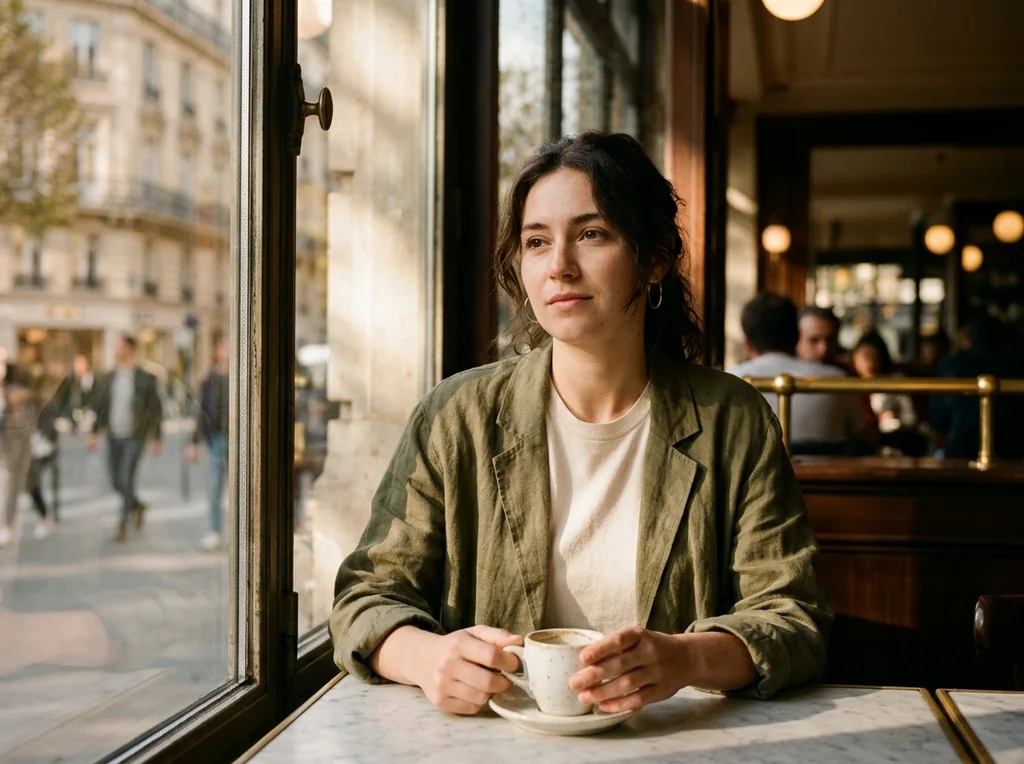
Highlights consistent skin tones, linen fabric weave, and natural window reflections for authentic portrait restyling.
 Flare · Motion Frame
Captures 35mm anamorphic road motion blur, warm headlights in sea mist, and twilight tones ready to animate into video.
Core Capabilities
Built to close the gap between fast concept drafts and print-ready campaign art, GPT Image 2.6 brings dedicated detail and speed tiers, flexible output controls, and clean multi-step reference fidelity into one browser workflow.
When a hero banner, packaging concept, or dense editorial poster cannot afford soft edges or warped textures, the Sunburst engine prioritizes structural fidelity. Complex material interactions such as refracted glass, travertine stone shadows, metallic typography, and multi-plane architectural depth stay coherent from corner to corner.
Pairing Sunburst with high, extra-high, or max quality settings lets creative teams lock down fine micro-contrast and readable layouts directly from a single descriptive prompt, dramatically reducing manual retouching rounds in external design tools.
Sunburst · 4K EditorialEarly ideation and high-volume e-commerce cataloging demand rapid feedback loops rather than long render waits. The Flare tier delivers roughly 50% faster turnaround compared with previous generations, helping designers test lighting angles, framing variations, and seasonal concepts in seconds.
With native transparent background support in PNG and WebP formats, Flare turns raw product descriptions or uploaded studio photos into clean, isolated assets ready to drop straight into pitch decks, web storefronts, thumbnails, and layered marketing templates.
Flare · Clean CutoutGenerating from scratch is only half the workflow. Upload any existing photo inside the CloneCut composer and GPT Image 2.6 automatically switches from text-to-image into image-to-image mode, preserving subject geometry, facial identity, and framing while executing targeted lighting or wardrobe transformations.
Whether you are re-lighting a daytime cafe portrait into golden-hour 35mm film or refreshing an older product catalog onto warm editorial stone, reference adherence stays dependable across iterative edits without drifting away from your original brand assets.
Image-to-Image · RelightingModern commercial campaigns rarely stop at a single still graphic. This generation workflow excels at framing cinematic tracking shots, natural motion blur, and cohesive twilight color grading that translate cleanly into short-form video ads.
Once your frame is approved at 2K or 4K on CloneCut, download the crisp output and bring it straight into our conversational AI Video Agent to animate smooth camera pushes, parallax motion, or product reveals using Seedance 2.0, Seedance 2.5, Kling 4, or MiniMax H3.
Keyframe · Video ReadyFrom solo indie makers shipping launch visuals to creative teams producing localized campaigns across six languages, this studio adapts to every stage of visual production.
Design your opening keyframe with GPT Image 2.6 first, verify composition and text legibility at full resolution, and then animate it inside CloneCut using Kling 4, Seedance 2.0, Seedance 2.5, or MiniMax H3.
Generate cohesive 2K and 4K hero artwork tailored to 16:9 desktop banners and 9:16 vertical ad placements without scheduling a physical studio shoot. Keep brand color palettes uniform across every variant.
Generate cohesive 2K and 4K hero artwork tailored to 16:9 desktop banners and 9:16 vertical ad placements without scheduling a physical studio shoot. Keep brand color palettes uniform across every variant.
Upload raw smartphone product shots and switch Flare to transparent PNG mode to build crisp catalog thumbnails, comparison cards, and layered promotional stickers in minutes.
Maintain recognizable faces, garments, and framing across seasonal lookbooks by iterating with image-to-image prompts in Sunburst mode, adjusting only lighting mood, lens focal length, or location.
Design your opening keyframe with GPT Image 2.6 first, verify composition and text legibility at full resolution, and then animate it inside CloneCut using Kling 4, Seedance 2.0, Seedance 2.5, or MiniMax H3.
Choose the right engine directly in the hero toggle depending on whether your project prioritizes maximum fidelity or rapid iteration.
| Dimension | Sunburst Engine | Flare Engine |
|---|---|---|
| Creation modes | Text-to-Image & Image-to-Image editing | Text-to-Image & Image-to-Image editing |
| Core strength | Dense compositions, sharp material fidelity, text accuracy, and edit consistency | Low-latency rendering (~50% faster) for fast creative previews and batch exploration |
| Resolutions & ratios | 1K, 2K, and 4K across all 16 aspect ratios from 1:1 to 21:9 and 9:21 | 1K, 2K, and 4K across all 16 aspect ratios with fast transparent cutouts |
| Quality & format controls | Low, Medium, High, Extra High, Max quality · PNG, WebP, JPEG, transparent background | Low, Medium, High, Extra High, Max quality · PNG, WebP, JPEG, transparent background |
| Recommended workflow | Final 4K hero banners, luxury product campaigns, packaging, and intricate posters | Rapid concept testing, e-commerce sticker cutouts, and multi-ratio social ads |
Start creating in seconds — run both text-to-image and image-to-image workflows right inside the hero studio.
Choose Sunburst for high-detail finished art or Flare for rapid iterations. Write your scene directly for text-to-image, or click the plus button to attach a reference photo for image-to-image editing.
Open the settings menu to select from 16 aspect ratios, 1K/2K/4K resolution, quality depth (Low through Max), transparent or opaque background, and PNG/WebP/JPEG output format.
Submit your task and review the full-resolution image right inside the hero. Download immediately with one click, or carry your keyframe into the CloneCut Video Agent for smooth motion.
Small structural improvements in how you write prompts make a noticeable difference in lighting realism, subject consistency, and layout accuracy when working with GPT Image 2.6.
Start every prompt by naming the main subject, physical material finishes (brushed aluminum, matte ceramic, frosted glass), and camera framing (macro close-up, 35mm waist-up, wide architectural shot) before listing secondary background props.
Replace vague terms like "ultra realistic" with concrete lighting instructions such as "warm late-afternoon sunlight casting crisp diagonal window shadows" or "soft overhead studio diffusion with subtle silver rim light".
When uploading a reference photo to GPT Image 2.6, explicitly state which elements should remain fixed — such as facial identity, logo geometry, or garment silhouette — and describe only the targeted lighting, environment, or style change.
Use Flare with 1K transparent PNG while exploring layouts and sticker cutouts, then switch to Sunburst at 2K or 4K with High or Extra High quality once your winning prompt is locked for final publication.
Choose how to pay
Save 50% · Billed yearly
Lite
For casual creators
Pro
For professionals
Ultra
For power users
FAQ
GPT Image 2.6 is OpenAI’s next-generation image creation and editing model family split into two focused engines. Sunburst maximizes fine detail, dense compositions, typography accuracy, and multi-step edit consistency, while Flare delivers roughly 50% faster generation for quick previews and batch asset creation.
Yes. Inside the CloneCut hero studio, typing a prompt without uploading a photo creates a brand-new image from text. Uploading a JPG, PNG, or WebP reference photo automatically switches the studio to image-to-image editing so you can restyle, relight, or refine existing visuals.
CloneCut gives you full creative control for GPT Image 2.6: 1K, 2K, and 4K resolutions; 16 aspect ratios from 1:1 square to 16:9 widescreen, 9:16 vertical, and 21:9 cinema frames; five quality levels from Low to Max; and PNG, WebP, or JPEG downloads.
Open the settings menu in the hero studio and set Background to Transparent. CloneCut automatically pairs transparent mode with PNG or WebP so your product cutouts, stickers, and overlays download with clean transparent edges.
Your exact credit cost appears live before you generate based on resolution and quality — starting at 45 credits for 1K, 60 credits for 2K, and 95 credits for 4K (up to 110 / 150 / 200 credits at Max quality). Browsing presets, copying prompts, and previewing examples cost zero credits, and confirmed failed tasks automatically refund your credits.
Yes. Create crisp 1K, 2K, or 4K visuals with GPT Image 2.6 on CloneCut, then bring your favorite frame straight into our AI Video Agent to generate smooth motion clips, product reveals, and looping social ads.
Download your finished image from the hero result card and upload it to CloneCut’s AI Video Agent or video model pages like Kling 4 and Seedance 2.0/2.5. Starting from a sharp still gives far stronger control over composition, lighting, and camera motion.
No. CloneCut is an independent creative platform providing web-based AI image and video tools and is not affiliated with, endorsed by, or operated by OpenAI.
Next Step · Image to Video
Bring any finished 1K, 2K, or 4K image into CloneCut’s conversational AI Video Agent and animate cinematic camera moves with Seedance 2.0, Seedance 2.5, Kling 4, or MiniMax H3.
CloneCut is an independent creative platform and is not affiliated with OpenAI.