

Annual plans 50% OFFGet the offer

AI video cloning

Clone Viral Videos with Your Own Character

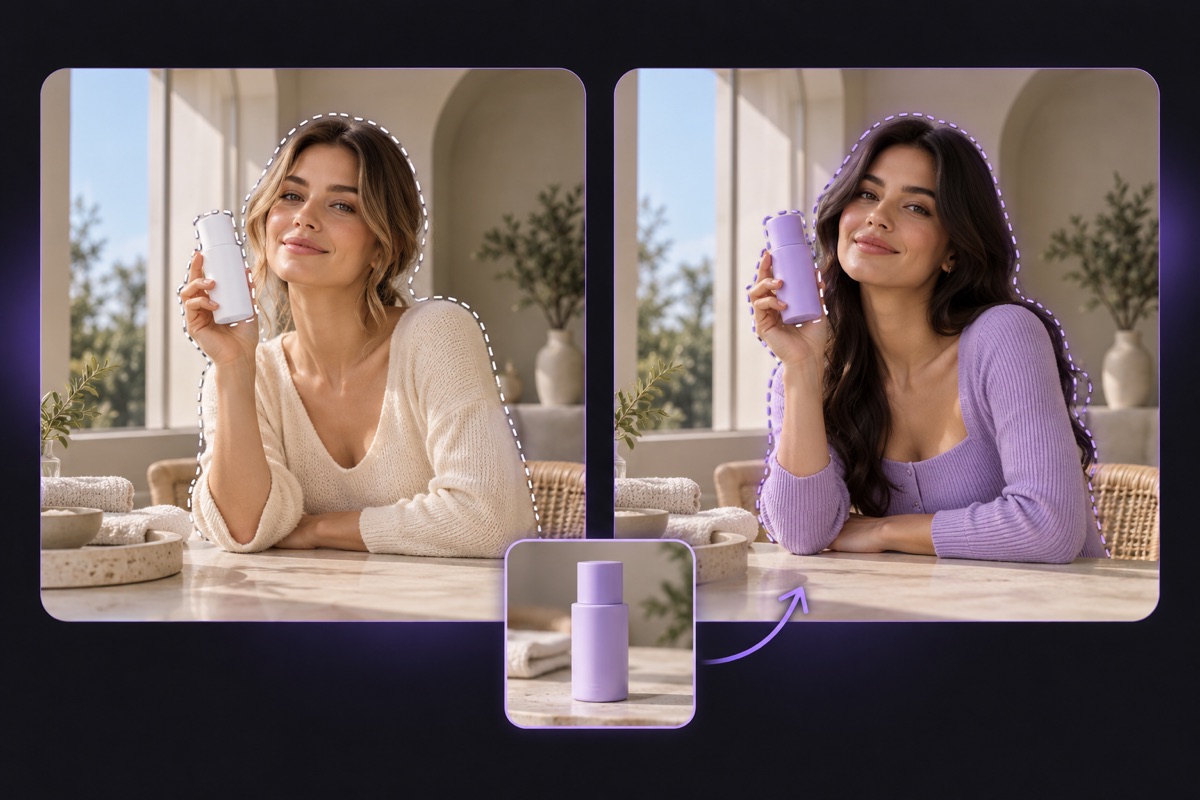
Upload a trending clip and one reference image to clone viral videos with your own star. CloneCut aims to keep the original motion, camera move and timing while your character, product or look takes over the shot.

Before and after

One viral clip, a new star

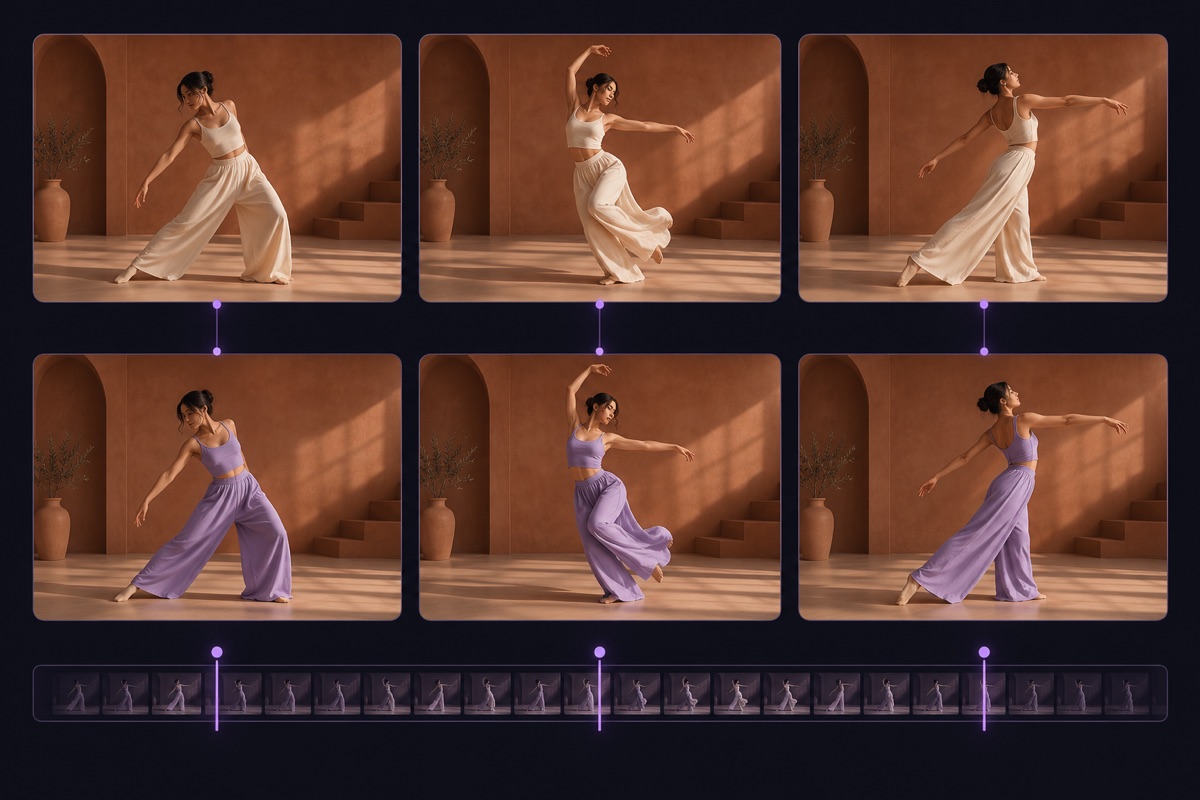
Same walk, same framing, same camera. This is how you clone viral videos: each pair shows the original clip, the reference image and the edited result.

Original
Reference photo of a woman in a white top and navy trousersReference
Result

This is what it looks like to clone viral videos well: the hook, the pacing and the camera stay recognizable, while the person on screen becomes yours. Nothing was filmed again. The original performance did the heavy lifting, and the reference image decided who appears in it.

HOW IT WORKS

Clone viral videos in three steps

No timeline, no reshoot. To clone viral videos, you bring the clip and the look, and the AI rebuilds the shot.

  1. Upload the viral clip

    Add an MP4 or MOV you own or may use, then trim it to the moment that matters.

  2. Reference character for the crowd arrival example

    Add a reference and instructions

    Upload the new character or product, and say what to replace and what to keep.

  3. Review the quote and generate

    Confirm the credit cost, wait for the result, then compare and download it.

Why CloneCut

Keep what made it viral. Change what makes it yours.

A trend works because of its structure. When you clone viral videos with CloneCut, that structure stays and only the part your audience should remember changes.

Replace the subject, keep the performance

Most tools generate a new video from scratch. CloneCut starts from the clip you already know works, so the dance, the walk or the reveal stays the same while the person in it changes.

  • One reference image defines the new look
  • Character replacement is the most tested path
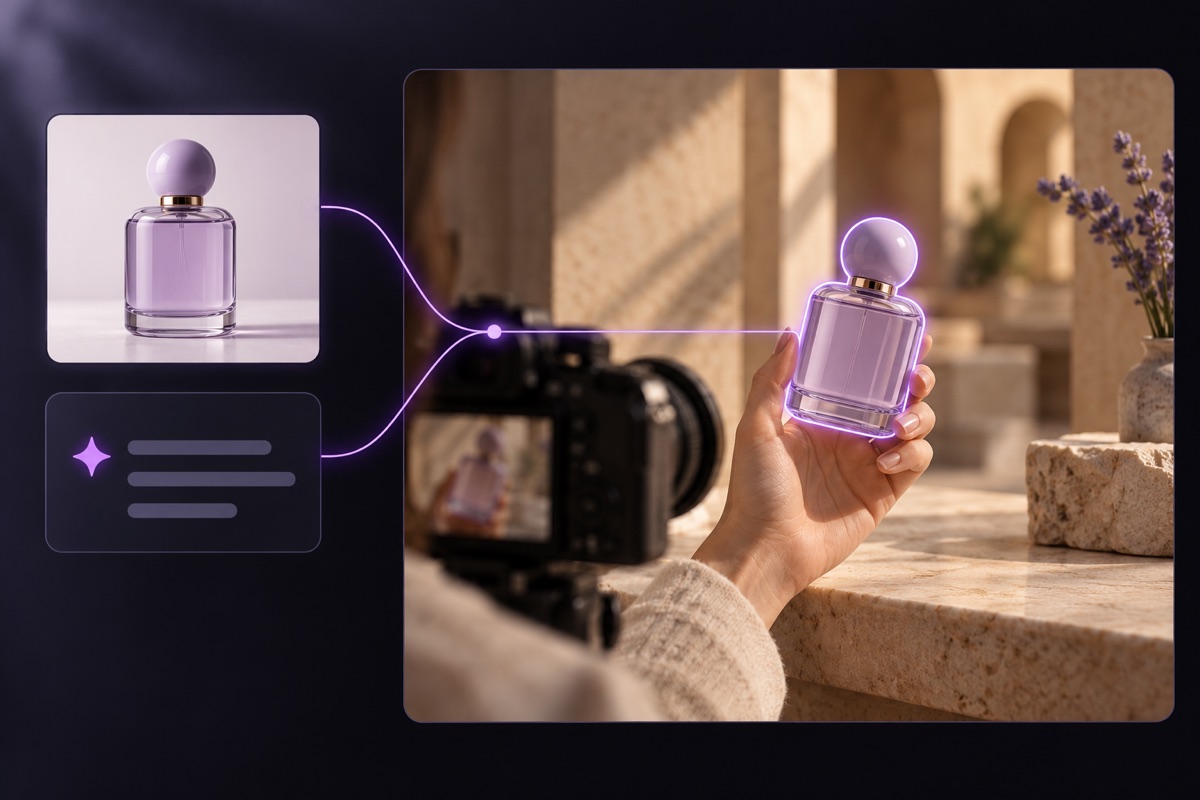
  • Product and background changes work as experiments
Replace the subject, keep the performance

Motion, camera and timing stay in place

The beat drop still lands on the same frame and the camera push-in still happens at the same moment. When you clone viral videos, that timing is the part audiences recognize first.

  • Built on the original movement
  • Camera path follows the source
  • Results vary with footage quality
Motion, camera and timing stay in place

Describe the edit in plain words

When you clone viral videos, tell the AI which subject to replace, what to replace it with and what must not change. Clear instructions do more for quality than any other setting.

  • Name the target by position or clothing
  • List what to preserve
  • Change one major element per attempt
Describe the edit in plain words

Playbook

How to clone viral videos that still feel right

Six habits that separate a convincing remake from a clip that falls apart in motion.

1

Pick a clip that is easy to rebuild

The clips that work best have one clear subject, steady lighting and a single continuous shot. A dancer on a terrace, someone walking toward the camera, or a presenter turning to reveal an outfit are strong starting points. Montages with rapid cuts, crowds where people overlap, and scenes where the subject disappears behind objects are harder, because the model has to track the subject through every break.

2

Use a reference that matches the framing

Use a sharp, well-lit picture where the new character is clearly visible, ideally at a similar angle to the subject in the source. If the original is a full-body shot, a full-body reference shows clothing and proportions far better than a headshot. Avoid images with several equally prominent people, heavy filters or text across the face. A strong reference is the fastest way to clone viral videos that hold up.

3

Separate what changes from what stays

A good instruction reads like this: replace the dancer in the white hoodie with the character in the reference image, and keep the choreography, the terrace, the lighting and the slow camera push-in. Avoid contradictions such as asking for a new dance while keeping the original one. If you change the character, background and camera style at once, it is hard to tell what worked.

4

Test short before you go long

Trim the source to the few seconds that carry the hook and test at a lower resolution first. Once the instruction works, move up to 720p or 1080p and a longer cut. Teams that clone viral videos every week save the prompts that worked and reuse their structure for the next trend.

5

Check the result in motion

Watch from beginning to end, not a paused frame. Faces should stay consistent when the subject turns, hands should not merge, and the background should not warp around the new character. Look at the first second again, because that is where viewers decide to stay or scroll. If something drifts, change the instruction or the reference rather than repeating the same request.

6

Respect copyright and consent

The ability to clone viral videos does not transfer ownership of the original. Footage, music and recognizable people may all be protected. Use clips you filmed, licensed stock or content the creator allowed, get consent before using a real person's likeness, and follow each platform's rules for labeling AI content. Crediting the original format is good practice and often helps reach.

Who uses CloneCut to clone viral videos

Creators

Join a trend while it is still rising, with your own avatar or mascot in the lead role instead of a copy of someone else.

Brands and shops

Clone viral videos to preview a product or ambassador in a popular format before paying for a shoot, then treat the result as a concept.

Agencies

Clone viral videos for pitches: build several versions of one proven format in an afternoon and let the client pick the direction.

Multi-market teams

Rebuild one format for different audiences with a presenter who suits each market and language.

What you can clone today

CloneCut edits an existing clip instead of generating one from text, which is what lets you clone viral videos without losing the original motion. You choose the model and quality, and the editor shows the exact credit quote before anything starts. Pay as you go, or pick a monthly or yearly plan that also unlocks longer clips.

Character replacement is the most tested workflow. Results depend on footage, scene complexity and your instructions, and frame-perfect matches are not guaranteed.

Editing limits
ItemValue
Source videoMP4, MOV
Reference imagePNG, JPEG, WebP
Clip lengthFrom 3 to 4 seconds; up to 12 seconds, or 30 with a plan
Output480p, 720p or 1080p, depending on the model
ModelsSeedance 2.5, Kling O3
CostCredits per second, quoted before you confirm
Failed tasksCredits returned once failure is confirmed

Choose Your Creation Plan

Choose how to pay

Save 50% · Billed yearly

Save 50%

Lite

$19.9$9.90/month
Billed yearly:$238.8$118.8/year

For casual creators

  • 30,000 credits, valid for 1 year
  • 100 free chats per month
  • 20 free media analyses per month
  • See the cost before generating
  • Site credits returned on confirmed failures
  • Cancel anytime
  • Up to 30 seconds per video
  • 480p, 720p and 1080p video editing
  • No watermark
  • Complete privacy
  • Faster generation
  • Priority support
  • Save $120 per year
  • Renews at $118.8/year.
Save 50%

Pro

$39.9$19.90/month
Billed yearly:$478.8$238.8/year

For professionals

  • 66,000 credits, valid for 1 year
  • 300 free chats per month
  • 60 free media analyses per month
  • See the cost before generating
  • Site credits returned on confirmed failures
  • Cancel anytime
  • Up to 30 seconds per video
  • 480p, 720p and 1080p video editing
  • No watermark
  • Complete privacy
  • Faster generation
  • Priority support
  • Save $240 per year
  • Renews at $238.8/year.
Save 50%

Ultra

$79.9$39.90/month
Billed yearly:$958.8$478.8/year

For power users

  • 144,000 credits, valid for 1 year
  • 600 free chats per month
  • 120 free media analyses per month
  • See the cost before generating
  • Site credits returned on confirmed failures
  • Cancel anytime
  • Up to 30 seconds per video
  • 480p, 720p and 1080p video editing
  • No watermark
  • Complete privacy
  • Faster generation
  • Priority support
  • Save $480 per year
  • Renews at $478.8/year.

FAQ

Questions about cloning viral videos

  • Browsing the examples and exploring the editor is free. Generating a video uses credits, and the editor shows the exact quote before you confirm.

  • CloneCut aims to preserve the motion, camera movement and timing of the source. Results depend on footage quality, scene complexity and your instructions, so a frame-perfect match is not guaranteed.

  • An edit starts at 3 to 4 seconds depending on the model. Without a subscription the limit is 12 seconds; with an active plan it rises to as much as 30 seconds.

  • The editor accepts MP4 and MOV for the source and PNG, JPEG or WebP for the reference image. It checks size, frame rate and dimensions when you upload.

  • You can describe those changes in your instructions, but character replacement is the most tested path today. Treat product and background swaps as experiments and review each result before spending more credits.

  • Usually the footage, not the wording: too many cuts, a subject hidden behind objects, several overlapping people, or a reference taken from a very different angle. Try a cleaner source before retrying.

  • It depends on the material you use. Footage, music and a person's likeness can all be protected. Use material you own or have permission for, get consent from identifiable people, and follow each platform's rules for AI content.

  • You can download the finished video and post it wherever you have the rights to. Check the soundtrack license and each platform's AI labeling rules before publishing.

  • No. You can buy credits separately or choose a monthly or yearly plan. See the pricing page for current prices and plan details.

  • Credits spent on a task are returned when the system confirms that generation has failed. If the task is still processing or the result cannot be saved, refresh to check its status. If the issue persists, contact support through a support ticket.

Your next trend starts with a clip you already love

Upload it, add your character, and clone viral videos with motion that still feels right.